Launch Your Global Career with Maersk – Placement Drive 2025 @ ZebLearn | Applications Close In 0d 0h 00h 00s

ZebLearn Certification Partners – Globally Recognized Credentials!

ZebLearn partners with leading industry experts to offer genuine, career-focused certifications in SAP training, foreign languages, and professional development courses. Earn internationally recognized credentials, enhance your career prospects, and distinguish yourself with certifications valued by the industry.

cisco
apple
esb
abode
Partner
meta
pmi
ic3
Partner
Partner
Partner
Partner
communication

Course content

About Application Packaging Training Program

  • Getting Started With Application Packaging Course
  • Who Can Learn This Software Packaging Course
  • Overview Of Application Packaging Introduction And Why It Is Required
  • Here are the links to access all my Udemy courses
  • Download All Applications Required For Application Packaging Lab
  • Setup Windows 10 Virtual Machine For Software Packaging
  • Configure Windows 10 And Take Clean Machine Snapshot
  • Understanding Windows Installer Technology
  • Technical Review Before Taking Application Packaging Method
  • Application Repackaging
  • Application Transforms
  • Authoring Task Or Building MSI Application Of Loose Files
  • Silent Installation Of Exe Applications
  • Understanding Windows Installer Technology
  • Technical Review Before Taking Application Packaging Method
  • Application Repackaging
  • Application Transforms
  • Authoring Task Or Building MSI Application Of Loose Files
  • Silent Installation Of Exe Applications
  • How To Package Microsoft Office Application
  • How to package Adobe Acrobat Reader DC
  • How to package and install SQL Management Studio using Configuration File
  • How To Install & Uninstall Packaged Application Using Bat File
  • How to install application on remote computer using psexec
  • Packaging Applications Using Powershell App Deployment Toolkit (PSADT)
  • Packaging Google Chrome Using Powershell App Deployment Toolkit (PSADT)
  • Install & uninstall Applications Using Powershell App Deployment Toolkit (PSADT)
  • Packaging Application with pre-requisite using PSADT
  • Packaging mRemote using Powershell App Deployment Toolkit (PSADT)
  • Packaging Applications Using Powershell App Deployment Toolkit (PSADT)
  • Packaging Google Chrome Using Powershell App Deployment Toolkit (PSADT)
  • Install & uninstall Applications Using Powershell App Deployment Toolkit (PSADT)
  • Packaging Application with pre-requisite using PSADT
  • Packaging mRemote using Powershell App Deployment Toolkit (PSADT)
  • Packaging Applications Using Powershell App Deployment Toolkit (PSADT)
  • Packaging Google Chrome Using Powershell App Deployment Toolkit (PSADT)
  • Install & uninstall Applications Using Powershell App Deployment Toolkit (PSADT)
  • Packaging Application with pre-requisite using PSADT
  • Packaging mRemote using Powershell App Deployment Toolkit (PSADT)
  • Application Deployment Overview Using SCCM Configuration Manager Step By Step
  • Create A Shared Folder For Source Files For Application Deployment Via Configura
  • Application Deployment In Available Mode
  • Application Deployment In Required Mode
  • Application Deployment In Approval Mode
  • Application Deployment In Requirement Mode
  • Application Deployment With Superdense Mode
  • Application Deployment With Dependencies
  • Global Conditions In SCCM Configuration Manager
  • Exe Application Deployment Using Application Model
  • Exe Application Deployment With Requirement
  • Application Locations In Registry To Find Uninstall Strings
  • Packages versus Applications In Configuration Manager
  • Exe Application Deployment In Available Mode Using Package Model
  • MSI Application Deployment In Required Mode Using Package Model
  • Microsoft Office 365 Deployment Using MECM Configuration Manager
  • How to uninstall application using application model via configuration manager
  • Deployment of application using bat file via package model
  • Deployment of application using PowerShell script via package model
  • Deployment of application with prerequisites via package model
  • Deployment of registry key and desktop icon via package model
  • Restart target computers using package model
  • Creating Office 365 Package And Deploy Using SCCM Configuration Manager
  • Create and Deploy Application In System Center Config Manager Using Powershell
  • Package And Deploy Java To Multiple Computers Using Configuration Manager (SCCM)
  • Why Should You Learn Application Packaging Training?

    The annual salary of an Application Packaging is $125k.

    Request more information

    What you will get at Zeblearnindia Learning?

    Zeblearnindia Learning is a premier institute offering training in SAP Online Courses, Web Designing, Data Science, Full-Stack Development, Salesforce, Workday, Machine Learning, Software Testing, and Video Editing. With the option to choose between online and offline (classroom) learning, our well-structured courses cater to students, working professionals, business owners, and entrepreneurs. Here’s what you can expect at Zeblearnindia Learning:
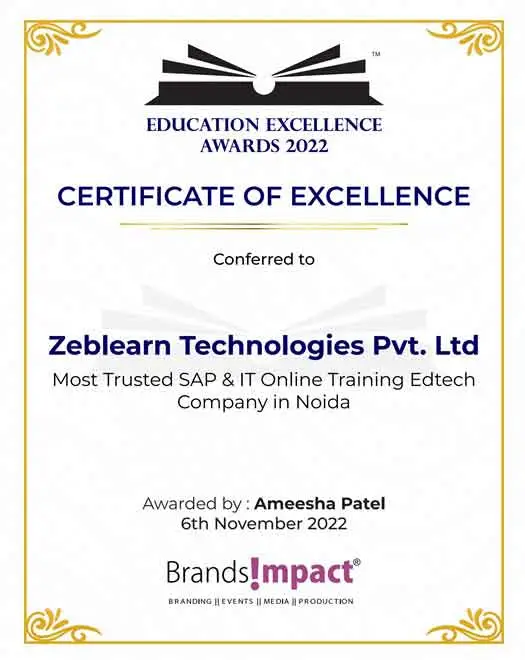
    •   Expert-Led Training
    •   Globally Recognized Certifications
    •   100% Job Placement Support
    •   Hands-On Learning
    •   Flexible Learning Options
    •   Affordable Course Fees
    •   Career Growth Opportunities
    best-seller-min

    () 60 Minutes WEBINAR with CERTIFICATE

    Date Time IST (GMT +5:30) Event Free Sign Up

    Explore Our Courses Across India - Flexible batches

    We are proud to offer our Application Packaging Training Program services across numerous states nationwide.


    Call Us
    WhatsApp
    Questions? WhatsApp us.
    Placements query?

    We use cookies to improve your experience and personalize our site. cookie policy