Launch Your Global Career with Maersk – Placement Drive 2025 @ ZebLearn | Applications Close In 0d 0h 00h 00s

ZebLearn Certification Partners – Globally Recognized Credentials!

ZebLearn partners with leading industry experts to offer genuine, career-focused certifications in SAP training, foreign languages, and professional development courses. Earn internationally recognized credentials, enhance your career prospects, and distinguish yourself with certifications valued by the industry.

cisco
apple
esb
abode
Partner
meta
pmi
ic3
Partner
Partner
Partner
Partner
communication

Course content

About Jenkins Training Program

  • Introduction to the course
  • Note: About the Lab
  • Start building your Lab - Create a Virtual Machine using VirtualBox
  • Start building your Lab - Install CentOs
  • Start building your Lab - Configure Putty
  • Install Docker
  • Install Docker Compose
  • Download the Jenkins Docker Image
  • Create a Docker Compose file for Jenkins
  • Create a Docker Container for Jenkins
  • Troubleshooting: Jenkins not coming up?
  • Create a local DNS for your Jenkins server
  • Note: You should keep using Putty
  • Learn how to work with Docker and Jenkins
  • Introduction to Jenkins UI
  • Hands On! Create your first Jenkins Job
  • Keep playing with your first Job
  • Redirect your first Job's output
  • Learn how to execute a bash script from Jenkins
  • Add parameters to your Job
  • Learn how to create a Jenkins list parameter with your script
  • Add basic logic and boolean parameters
  • Docker + Jenkins + SSH - I
  • Troubleshooting: remote-host image not building correctly?
  • Docker + Jenkins + SSH - II
  • Docker + Jenkins + SSH - III
  • Learn how to install Jenkins Plugins (SSH Plugin)
  • Integrate your Docker SSH server with Jenkins
  • Run your Jenkins job on your Docker remote host through SSH
  • Introduction: MySQL + AWS + Shell Scripting + Jenkins (01:11)
  • Create a MySQL server on Docker (06:11)
  • Install MySQL Client and AWS CLI (06:37)
  • Create a MySQL Database (03:45)
  • Create a S3 Bucket on AWS (01:47)
  • Create a user (IAM) for AWS authentication (01:50)
  • Learn how to take a backup and upload it manually to S3 (06:49)
  • Automate the backup and upload process with a shell script (04:40)
  • Integrate your script with AWS CLI (04:44)
  • Learn how to manage sensitive information in Jenkins (Keys, Passwords) (02:44)
  • Create a Jenkins job to upload your DB to AWS (06:50)
  • Execute your Job and be happy! (02:42)
  • Persist the script on the remote host (04:45)
  • Reuse your Job to upload different DBs to different buckets
  • Introduction: Jenkins + Ansible
  • Install Ansible: Docker + Jenkins
  • Make the SSH keys permanent on the Jenkins container
  • Create a simple Ansible Inventory
  • Create your first Ansible Playbook
  • Integrate Ansible and Jenkins (Ansible Plugin)
  • Learn how to execute Playbooks from a Jenkins Job
  • Power up! Add parameters to Ansible and Jenkins
  • Missing the colors? Colorize your playbooks' output
  • Challenge: Jenkins + Ansible + MySQL + PHP + NGINX + Shell Scripting
  • Create the DB that will hold all the users
  • Create a Bash Script to feed your DB - I
  • Create a Bash Script to feed your DB - II
  • Test your Script inserting the data to the DB
  • Start building a Docker Nginx Web Server + PHP - I
  • Start building a Docker Nginx Web Server + PHP - II
  • Build a table using HTML, CSS, and PHP to display users
  • Integrate your Docker Web Server to the Ansible Inventory
  • Create a Playbook in Ansible to update your web table
  • Intro - Learn how to Enable/Disable Login in Jenkins
  • Allow users to sign up
  • Install a powerful security plugin
  • Create users manually in the Jenkins DB
  • Ever heard about roles? Let's create a Read Only role!
  • Assign the role that you created to a particular user
  • Create a role to execute jobs, and assign that role to your user
  • Learn how to restrict Jobs to users using Project Roles
  • Global environment variables in Jenkins
  • Create your own custom global environment variables
  • Modify the Jenkins URL
  • Meet the Jenkins' cron: Learn how to execute Jobs automatically
  • Learn how to trigger Jobs from external sources: Create a generic user
  • Troubleshooting: Githooks throwing 403 forbidden errors?
  • Trigger your Jobs from Bash Scripts
  • Introduction: Jenkins & Email
  • Install a Mail Plugin
  • Integrate Jenkins and AWS Simple Email Service
  • Integrate Jenkins and Gmail
  • Add notifications to your jobs
  • Introduction: Jenkins & Maven
  • Install the Maven Plugin
  • Install the GIT Plugin
  • Learn how to clone a GIT/GITHUB repository from Jenkins
  • Learn how to build a JAR using Maven
  • Learn how to test your code
  • Deploy your JAR locally
  • Display the result of your tests using a graph
  • Archive the last successful artifact
  • Create a Git Server using Docker
  • Create your first Git Repository
  • Create a Git User to interact with your Repository
  • Upload the code for the Java App in your Repo
  • Integrate your Git server with your Maven Job
  • Learn about Git Hooks
  • Trigger your Jenkins job using a Git Hook
  • Introduction: Jenkins DSL
  • Install the DSL Plugin
  • What is a Seed Job in DSL?
  • Understand the DSL Structure
  • Description
  • Parameters
  • SCM
  • Triggers
  • Steps
  • Mailer
  • Recreate the Ansible Job using DSL
  • Recreate the Maven Job using DSL
  • Version your DSL code using Git
  • Introduction to CI/CD
  • Continuous Integration
  • Continuous Delivery
  • Continuous Deployment
  • Introduction to Pipeline
  • Introduction to Jenkinsfile
  • Install the Jenkins Pipeline Plugin
  • Create your first Pipeline
  • Add multi-steps to your Pipeline
  • Retry
  • Timeouts
  • Environment variables
  • Credentials
  • Post actions
  • Introduction
  • Learn how to install Docker inside of a Docker Container
  • Define the steps for your Pipeline
  • Build: Create a Jar for your Maven App using Docker
  • Build: Write a bash script to automate the Jar creation
  • Build: Create a Dockerfile and build an image with your Jar
  • Build: Create a Docker Compose file to automate the Image build process
  • Build: Write a bash script to automate the Docker Image creation process
  • Build: Add your scripts to the Jenkinsfile
  • Test: Learn how to test your code using Maven and Docker
  • Test: Create a bash script to automate the test process
  • Test: Add your test script to Jenkinsfile
  • Create a remote machine to deploy your containerized app
  • Push: Create your own Docker Hub account
  • Push: Create a Repository in Docker Hub
  • Push: Learn how to Push/Pull Docker images to your Repository
  • Push: Write a bash script to automate the push process
  • Push: Add your push script to Jenkinsfile
  • Deploy: Transfer some variables to the remote machine
  • Deploy: Deploy your application on the remote machine manually
  • Deploy: Transfer the deployment script to the remote machine
  • Deploy: Execute the deploy script in the remote machine
  • Deploy: Add your deploy script to Jenkinsfile
  • Create a Git Repository to store your scripts and the code for the app
  • Create the Jenkins Pipeline. Finally!
  • Modify the path when mounting Docker volumes
  • Create the Registry Password in Jenkins
  • Add the private ssh key to the Jenkins container
  • Add post actions to Jenkinsfile
  • Execute your Pipeline manually
  • Create a Git Hook to automatically trigger your Pipeline
  • Why Should You Learn Jenkins Training?

    The annual salary of an Jenkins is $125k.

    Request more information

    What you will get at Zeblearnindia Learning?

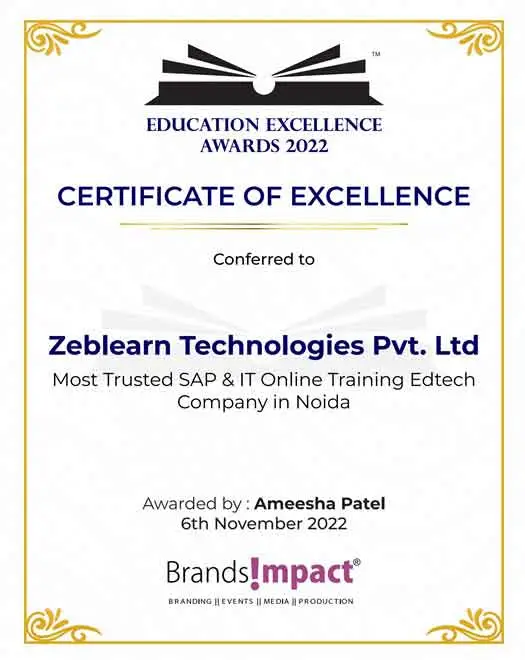
    Zeblearnindia Learning is a premier institute offering training in SAP Online Courses, Web Designing, Data Science, Full-Stack Development, Salesforce, Workday, Machine Learning, Software Testing, and Video Editing. With the option to choose between online and offline (classroom) learning, our well-structured courses cater to students, working professionals, business owners, and entrepreneurs. Here’s what you can expect at Zeblearnindia Learning:
    •   Expert-Led Training
    •   Globally Recognized Certifications
    •   100% Job Placement Support
    •   Hands-On Learning
    •   Flexible Learning Options
    •   Affordable Course Fees
    •   Career Growth Opportunities
    best-seller-min

    () 60 Minutes WEBINAR with CERTIFICATE

    Date Time IST (GMT +5:30) Event Free Sign Up

    Explore Our Courses Across India - Flexible batches

    We are proud to offer our Jenkins Training Program services across numerous states nationwide.

    Call Us
    WhatsApp
    Questions? WhatsApp us.
    Placements query?

    We use cookies to improve your experience and personalize our site. cookie policy